

WordPress Website Development
WordPress Website Development is the process of creating, designing, customizing, optimizing and maintaining a website using WordPress. It is one of the most popular ways to build websites because you can create professional websites without becoming an expert programmer.
Today, WordPress is used for business websites, blogs, portfolios, educational websites, landing pages, news websites, online stores and many other types of websites. Therefore, learning WordPress website development can be a valuable skill for students, freelancers, business owners and job seekers.
In this guide, you will learn what WordPress website development means, how a WordPress website is created, the important components you need to learn, and how you can develop a complete website step by step.
What Is WordPress Website Development?
WordPress website development involves building a complete website using the WordPress platform. It includes everything from selecting a domain and hosting to designing pages, installing themes and plugins, adding content, improving performance, implementing SEO and maintaining website security.
In simple terms, WordPress website development means turning an idea into a functional website using WordPress.
For example, a business owner may want a company website. A WordPress developer can install WordPress, select an appropriate theme, create pages, add contact forms, optimize the website for search engines and finally publish it online.
Why Learn WordPress Website Development?
WordPress development is useful because businesses and individuals need websites for marketing, communication, branding and online sales. Moreover, WordPress provides thousands of themes and plugins that make website development faster.
- Build websites without extensive coding knowledge.
- Create business and personal websites.
- Develop websites for clients as a freelancer.
- Start a career in WordPress development.
- Create blogs, portfolios and landing pages.
- Develop eCommerce websites using WooCommerce.
- Learn website SEO and digital marketing.
- Maintain and manage existing WordPress websites.
How Does WordPress Website Development Work?
A WordPress website normally goes through several stages. Each stage is important because a successful website needs more than an attractive design.
1. Choose a Domain Name
The domain name is the web address people use to visit your website. A good domain should be simple, memorable and relevant to the website or business.
2. Select Web Hosting
Web hosting stores your website files and database on a server. When visitors enter your domain name, the hosting server delivers your website to their browsers.
3. Install WordPress
After purchasing hosting, WordPress can usually be installed through the hosting control panel. You can also install WordPress manually when necessary.
4. Select and Customize a Theme
A WordPress theme controls the visual appearance of your website. You can customize colors, typography, layouts, headers, footers and other design elements.
5. Create Website Pages
Most websites require important pages such as:
- Home
- About Us
- Services
- Courses
- Blog
- Contact
- Privacy Policy
- Terms and Conditions
However, the exact pages depend on the purpose of the website.
6. Install Essential Plugins
Plugins extend WordPress functionality. For example, you can use plugins for SEO, contact forms, security, backups, caching, analytics and eCommerce.
However, avoid installing unnecessary plugins. Too many poorly maintained plugins can create security, compatibility and performance problems.
7. Add Content
Content includes text, images, videos, buttons, forms and other elements. High-quality content should be useful to visitors and structured around relevant search terms.
8. Optimize the Website
Before publishing the website, check its speed, mobile responsiveness, SEO, security, navigation, images and user experience.
9. Publish and Maintain the Website
Finally, the website can be published. Nevertheless, development does not end after launch. Regular updates, backups, security checks and content improvements are necessary.
![]()
 Important WordPress Website Development Components
To become confident in WordPress website development, beginners should understand the major components of WordPress.
WordPress Dashboard
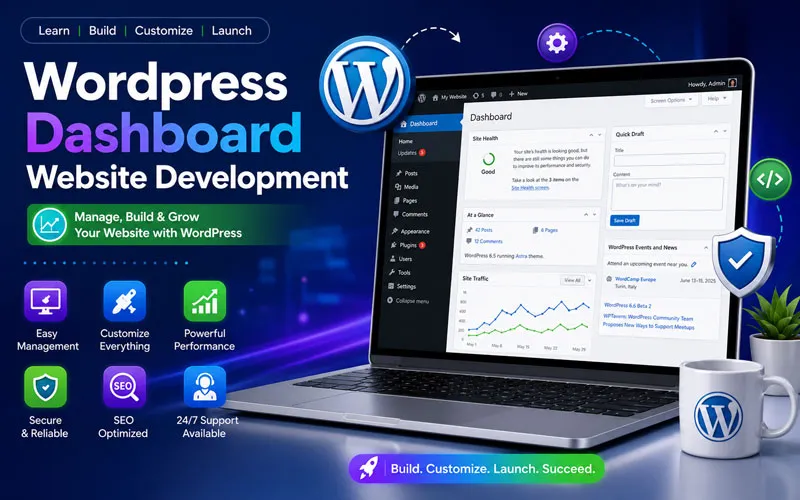
The dashboard is the administration area where you manage pages, posts, media, themes, plugins, users and website settings.
WordPress Themes
Themes control the appearance and layout of a WordPress website. Learning theme customization helps you create websites that match a client’s branding and requirements.
WordPress Plugins
Plugins add new features to WordPress. They can provide SEO tools, forms, security features, backups, performance optimization and eCommerce functionality.
Page Builders
Page builders such as Elementor can help beginners create professional layouts visually. They are especially useful when building landing pages and custom website sections.
Media Library
The Media Library allows you to upload and manage images, videos, PDFs and other files. Proper image optimization is important for website speed and SEO.
Database
WordPress stores important website information in a database, including posts, pages, settings and user information. Understanding the basic role of the database helps when managing backups, migrations and troubleshooting.
WordPress Website Development Without Coding
One of the major advantages of WordPress is that beginners can build many types of websites without writing complex code.
You can use the WordPress dashboard, block editor, themes and page builders to create layouts visually. Therefore, WordPress is suitable for beginners who want to enter website development quickly.
However, learning basic HTML, CSS, JavaScript and PHP can become valuable as you progress. These skills help developers customize websites beyond what standard themes and plugins provide.
![Wordpress Website Development Training]()
 WordPress Website Development and SEO
Website development and SEO should work together. A beautiful website is not enough if search engines and users cannot easily understand or access it.
Important SEO considerations include:
- SEO-friendly page structure.
- Keyword-focused titles and headings.
- Optimized images.
- Fast loading speed.
- Mobile-friendly design.
- Internal linking.
- Clean URLs.
- Useful and original content.
- XML sitemap configuration.
- Proper structured data where appropriate.
WordPress Website Development for Freelancers
WordPress can be an excellent skill for freelancers because clients frequently need websites created, redesigned or maintained.
A freelancer can offer services such as:
- Business website development
- WordPress redesign
- Landing page development
- Elementor website development
- WooCommerce development
- WordPress maintenance
- Website speed optimization
- WordPress SEO
- Website migration
As a result, learning both development and digital marketing can help freelancers provide more complete solutions to clients.
WordPress Website Development for Business Owners
Business owners can also benefit from understanding WordPress development. Even if you outsource development, knowing the fundamentals helps you communicate with developers, manage website content and make better decisions about plugins, hosting, SEO and security.
![Wordpress Theme Customization]()
 WordPress Website Development Learning Roadmap
Beginners should learn WordPress systematically rather than trying to learn everything at once.
Beginner Level
- What is WordPress?
- WordPress.com vs WordPress.org
- Domain and hosting
- WordPress installation
- Dashboard
- Posts and Pages
- Media Library
Intermediate Level
- Themes and customization
- Plugins
- Elementor or block editor
- Menus and widgets
- Forms
- Responsive design
- Basic SEO
- Website backups
Advanced Level
- WooCommerce
- Website migration
- Performance optimization
- Security
- Advanced SEO
- Custom CSS
- Basic PHP
- Child themes
- WordPress troubleshooting
- Website maintenance
Common WordPress Website Development Mistakes
Beginners often focus only on design. However, professional website development requires attention to usability, speed, security and SEO as well.
- Installing too many plugins.
- Using unoptimized images.
- Ignoring mobile users.
- Choosing unreliable hosting.
- Not creating regular backups.
- Using outdated themes or plugins.
- Ignoring website security.
- Publishing content without SEO research.
- Creating complicated navigation.
FAQ’s
WordPress website development is the process of creating, designing, customizing, optimizing and maintaining websites using WordPress.
Yes. Beginners can start with the WordPress dashboard, themes, plugins and page builders. Coding can be learned later for advanced customization.
No. Many professional WordPress websites can be created without coding. However, basic knowledge of HTML, CSS, JavaScript and PHP can be useful for advanced development.
The time depends on your goals and practice. Beginners can learn the fundamentals relatively quickly, while advanced development requires continuous practice and project experience.
Yes. WordPress can be used with WooCommerce to create online stores with products, payments, shipping and order management.
Yes. WordPress skills can support careers and freelance opportunities in website development, maintenance, SEO, eCommerce and digital marketing.
Yes. WordPress provides a strong foundation for SEO when the website is properly structured, optimized, fast, mobile-friendly and supported by useful content.
![]()
 Start Learning WordPress Website Development
Learning WordPress website development is easier when you combine theory with practical projects. Instead of only watching tutorials, build real websites and practice domain setup, hosting, themes, plugins, page creation, SEO, security and maintenance.
Ready to learn WordPress Website Development? Join practical WordPress training and learn how to plan, build, customize, optimize and maintain professional websites step by step.
Start learning WordPress, build a real website, develop practical skills and turn your knowledge into career or freelance opportunities.
Call now for details 9010 39 2034