

WordPress Training Near Me
Learn WordPress with Practical Live Project Training
Are you searching for WordPress Training Near Me to learn how to create professional websites and develop valuable digital skills? Whether you are a student, freelancer, business owner, or job seeker, learning WordPress can open the door to exciting career and business opportunities.
WordPress is one of the world’s most popular website-building platforms. It allows you to create business websites, blogs, portfolios, educational websites, and eCommerce stores without requiring advanced programming knowledge.
At WP7.IN, we provide practical WordPress training designed for beginners and aspiring website developers. Our training focuses on hands-on learning, one-to-one guidance, and real-world website development projects.
Explore our WordPress Training program to learn website development through structured lessons, practical exercises, and real-world WordPress projects.
If you are located in Hyderabad and looking for WordPress classes near you, you can explore our practical training programs. We also offer online learning options for students and professionals who prefer to learn from home.
If you are specifically looking for classroom-based learning and practical guidance, explore our WordPress Training in Hyderabad program to learn more about the available training options.
Instead of simply learning theoretical concepts, you will understand how to plan, design, develop, optimize, and manage a complete WordPress website.
Start learning WordPress today and take the first step toward building your own professional website!
Why Search for WordPress Training Near Me?
When you search for WordPress training near me, you are probably looking for a convenient way to learn website development with proper guidance.
Although online tutorials are useful, beginners sometimes find it difficult to understand technical concepts without personal assistance.
For example, installing WordPress, configuring hosting, choosing themes, installing plugins, designing web pages, and troubleshooting website problems can become confusing when you are learning independently.
Therefore, joining practical WordPress classes can make your learning experience easier and more effective.
Benefits of Joining Practical WordPress Training
- Personal Guidance: Get help understanding WordPress concepts and solving technical problems.
- Hands-on Learning: Practice website development instead of only watching demonstrations.
- Live Projects: Build real websites while learning different WordPress features.
- Beginner-Friendly: Start from the fundamentals without requiring previous website development experience.
- Practical Skills: Learn website design, SEO, hosting, plugins, and website management.
- Career Opportunities: Develop skills that can support freelancing, employment, and business development.
- Time-Saving Learning: Follow a structured learning process instead of searching through unrelated tutorials.
Most importantly, practical training helps you understand how different WordPress components work together when developing a complete website.
Join WP7.IN – Practical WordPress Training Near You
If you are looking for WordPress training near me in Hyderabad, WP7.IN offers practical learning opportunities for beginners, students, freelancers, and professionals.
Our training approach focuses on developing real website-building skills through demonstrations, individual guidance, and practical assignments.
What Makes WP7.IN Different?
- More than 18 years of WordPress training experience.
- One-to-one personalized training.
- Beginner-friendly teaching methodology.+
- Practical website development sessions.
- Live website creation projects.
- WordPress themes and plugins training.
- Elementor website design training.
- WooCommerce eCommerce training.
- WordPress SEO fundamentals.
- Website security and speed optimization.
- Flexible training schedules.
- Online and offline learning options.
- Learning resources and continued learning support.
Unlike training programs that concentrate mainly on theoretical explanations, our approach encourages you to practice every important concept.
As a result, you gain practical experience that can help you develop and manage websites independently.
Who Can Join Our WordPress Training?
WordPress is suitable for people from different educational and professional backgrounds. You do not need to be a computer science graduate or an experienced programmer to get started.
Our beginner-friendly training is suitable for the following groups.
1. Students
Are you a college student looking to develop additional technical skills?
Learning WordPress can help you understand website development and create websites for academic projects, portfolios, and personal use.
You can learn how websites work and gradually develop the confidence to build professional websites.
What you can achieve:
- Create your personal portfolio website.
- Build educational and project websites.
- Learn website design fundamentals.
- Develop practical digital skills.
- Explore website development career opportunities.
2. Freelancers
If you want to start freelancing, WordPress can help you offer website development services to clients.
Many businesses need websites, landing pages, blogs, and online stores. Therefore, learning WordPress can help you develop services that you can offer to potential customers.
Freelancing opportunities include:
- Business website development.
- WordPress website customization.
- Elementor page design.
- Website redesign.
- WooCommerce store development.
- Website maintenance.
- WordPress speed optimization.
- Basic website SEO.
Furthermore, you can build your own portfolio to demonstrate your practical skills to prospective clients.
3. Business Owners
Do you own a business and want to establish your online presence?
Learning WordPress can help you create and manage your own business website without depending entirely on external developers for everyday updates.
You can learn to:
- Create a professional business website.
- Add products and services.
- Publish blogs and company updates.
- Add contact forms.
- Display business information.
- Improve your website’s search visibility.
- Manage website content independently.
Consequently, you can gain better control over your online business presence.
4. Job Seekers and Freshers
If you are searching for employment opportunities in website development or digital marketing, WordPress can be a useful additional skill.
Companies, digital marketing agencies, and website development businesses use WordPress for different projects.
After gaining practical experience, you can explore roles such as:
- WordPress Developer.
- Website Designer.
- Junior Web Developer.
- WordPress Administrator.
- SEO Executive.
- Digital Marketing Executive.
- WooCommerce Website Developer.
- Website Maintenance Executive.
However, employment opportunities depend on your overall skills, practical experience, communication abilities, and employer requirements.
What Will You Learn in Our WordPress Training?
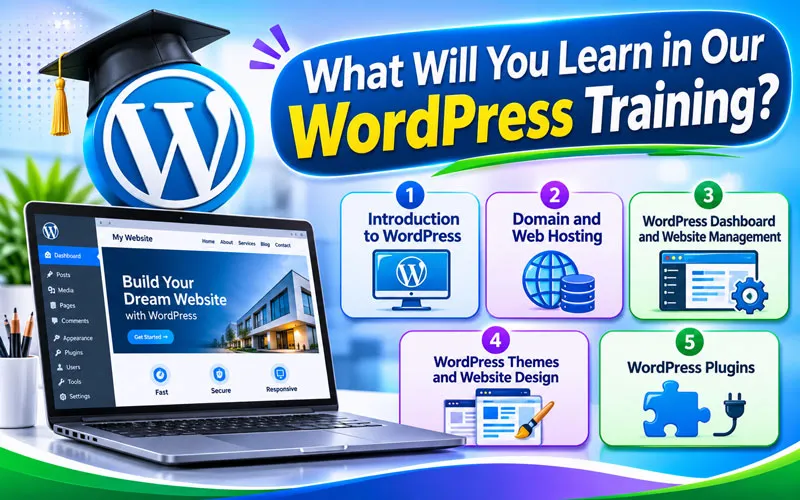
Our WordPress training covers the essential concepts required to create, customize, and manage professional websites.
The course starts with basic concepts and gradually moves toward practical website development.
1. Introduction to WordPress
First, you will understand what WordPress is and how it helps people create websites.
Topics include:
- What is WordPress?
- Introduction to Content Management Systems (CMS).
- WordPress.org vs WordPress.com.
- Advantages of WordPress.
- Types of websites you can create.
- WordPress dashboard introduction.
- Understanding website structure.
2. Domain and Web Hosting
Before creating a live website, you need to understand domain names and web hosting.
Topics include:
- What is a domain name?
- What is web hosting?
- How domain and hosting work together.
- Domain registration.
- Hosting account setup.
- Introduction to cPanel.
- SSL certificates.
- Installing WordPress on hosting.
3. WordPress Dashboard and Website Management
Next, you will learn how to manage your website using the WordPress dashboard.
Topics include:
- WordPress admin dashboard.
- Creating pages and posts.
- Categories and tags.
- Media Library.
- Managing comments.
- Website settings.
- User roles and permissions.
- Permalink configuration.
4. WordPress Themes and Website Design
A website’s design plays an important role in user experience and branding.
Therefore, you will learn how to customize the appearance of your website.
Topics include:
- Understanding WordPress themes.
- Installing and activating themes.
- Theme customization.
- Website layouts.
- Header and footer design.
- Navigation menus.
- Homepage creation.
- Responsive website design.
5. WordPress Plugins
Plugins extend the functionality of WordPress websites.
For example, you can use plugins to create contact forms, improve website security, optimize performance, and add additional features.
Topics include:
- What are WordPress plugins?
- Finding and installing plugins.
- Activating and configuring plugins.
- Choosing reliable plugins.
- Contact form plugins.
- Backup plugins.
- Security plugins.
- SEO plugins.
- Performance plugins.
Build Real Websites Through Live Project Training
The best way to learn WordPress is by creating websites yourself.
Therefore, practical project development is an important part of our training methodology.
Instead of only studying individual features, you will understand how to combine different WordPress tools to create complete websites.
Types of Websites You Can Learn to Build
- Business websites.
- Personal portfolio websites.
- Corporate websites.
- Educational websites.
- Blog websites.
- Service-based websites.
- Landing pages.
- WooCommerce eCommerce websites.
How Practical Training Works
Step 1: Understand the Basics
Learn WordPress fundamentals, domain names, hosting, and website structure.
Step 2: Set Up Your Website
Install WordPress and configure the essential website settings.
Step 3: Design Your Website
Choose a suitable theme and learn to customize pages using WordPress and Elementor.
Step 4: Add Website Features
Install plugins, create forms, configure menus, and add useful website functionality.
Step 5: Optimize Your Website
Learn SEO basics, image optimization, security, and website performance.
Step 6: Complete a Live Project
Apply your knowledge to create a complete website and understand how to manage it.
By following these steps, you can gain practical experience and develop confidence in WordPress website development.
WordPress Training Near Me in Hyderabad – Online and Offline Classes
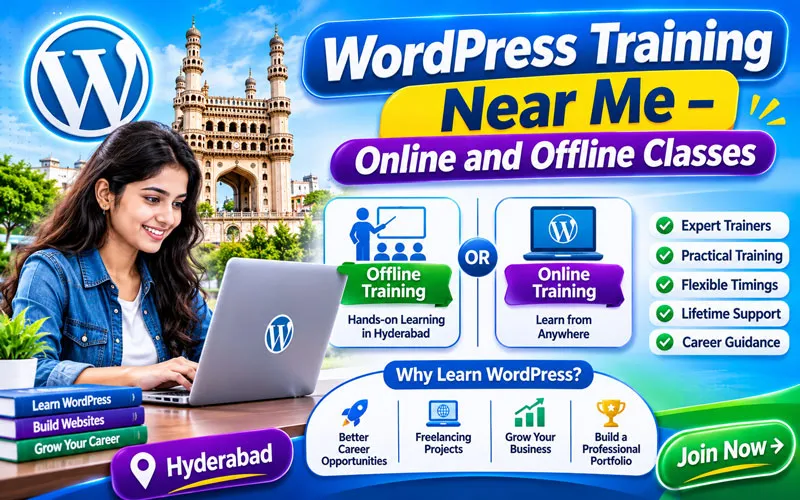
If you are searching for WordPress classes near me in Hyderabad, choosing a training program that matches your location, schedule, and learning requirements is important.
WP7.IN provides WordPress learning options for students and professionals who prefer guided practical training.
Offline WordPress Training
Offline training is suitable for learners who prefer direct interaction and face-to-face guidance.
Benefits include:
- Personal interaction with the trainer.
- Direct practical demonstrations.
- Immediate clarification of doubts.
- Guided website development.
- Individual attention.
Contact WP7.IN to confirm the current offline training location, available batches, and timings before visiting.
Online WordPress Training
If you cannot attend in-person classes, online WordPress training offers a convenient alternative.
You can learn from home while receiving guided instruction and practical demonstrations.
Benefits include:
- Learn from your preferred location.
- Save travel time.
- Attend guided training sessions.
- Practice website development.
- Get assistance with technical questions.Whether you prefer online or offline learning, the objective is the same: develop practical WordPress skills.
Why Learn WordPress for Your Career?
WordPress skills can be useful in several professional fields, including website development, digital marketing, content management, and freelancing.
Because businesses need websites to promote their products and services, people with practical website development skills can explore different opportunities.
Career and Business Opportunities
WordPress Developer: Develop and customize websites for businesses and individuals.
Freelance Website Designer: Create websites for clients and offer independent services.
Digital Marketing Executive: Manage website content, landing pages, and digital marketing activities.
SEO Executive: Work on website optimization, search visibility, and organic traffic improvement.
WooCommerce Developer: Build and manage online stores.
Website Administrator: Manage website content, updates, users, and maintenance.
Entrepreneur: Create websites for your own business or start a website development service.
However, completing a course alone does not guarantee a job or income. Consistent practice, portfolio development, and continuous learning are important for professional growth.
How to Choose the Best WordPress Training Near Me
Before joining any WordPress training program, compare the learning experience rather than choosing a course based only on advertisements or fees.
Here are some important factors to consider.
1. Practical Training
Check whether the course includes actual website development instead of only theoretical explanations.
2. Experienced Trainer
Choose a trainer who understands WordPress website development and can explain technical concepts clearly.
3. Individual Attention
Personal guidance can make learning easier, particularly when you are a complete beginner.
4. Updated Course Content
Make sure the training covers relevant WordPress features, website design, plugins, SEO, and website maintenance.
5. Live Projects
Ask whether you will build a complete website during the training.
6. Flexible Learning Options
Check whether online and offline classes are available according to your requirements.
7. Learning Support
Find out whether you can receive assistance when you face difficulties during or after training.
At WP7.IN, our practical learning approach is designed to help beginners understand WordPress and apply their knowledge through website development projects.
FAQs About WordPress Training Near Me
You can explore WordPress training programs at WP7.IN. We offer practical WordPress learning with one-to-one guidance, live projects, and online and offline training options in Hyderabad. Contact us to confirm current class availability and location.
Yes. WordPress is suitable for beginners. You can start with basic concepts such as domain names, hosting, installation, and dashboard management before moving to website design and advanced features.
No. You do not need advanced programming knowledge to start learning WordPress. You can create many professional websites using themes, plugins, and visual page builders. However, basic HTML, CSS, and PHP knowledge can be useful as you advance.
The learning duration depends on your goals, previous experience, and practice time. You can understand the fundamentals within a short period, but becoming confident in professional website development requires regular hands-on practice.
Yes. Online WordPress Training allows you to learn from home through guided sessions and practical website development exercises.
Online tutorials allow you to learn independently at your own pace. Instructor-led WordPress classes provide structured lessons, personal guidance, practical demonstrations, and assistance when you face technical difficulties.
Yes. After developing practical skills and building a portfolio, you can explore freelance opportunities such as business website development, website customization, landing page creation, and website maintenance.
Yes. You can use WooCommerce to create an online store, add products, manage orders, configure payments, and organize shipping options.
WP7.IN’s WordPress training includes Basic SEO fundamentals, Headings, image optimization, internal linking, and website performance concepts. Confirm the current course syllabus for the complete list of topics.
Absolutely. Business owners can use WordPress to create business websites, showcase services, publish updates, generate enquiries, and establish an online presence.
WP7.IN offers one-to-one personalized training. Contact us to discuss your learning requirements and available timings.
You can contact WP7.IN to enquire about the course, request a free demo class, understand the training schedule, and confirm available online or offline options.
Start Your WordPress Training Journey with WP7.IN
Are you ready to learn WordPress and create your own professional website?
Whether you are a student looking to develop new skills, a freelancer planning to offer website development services, a business owner interested in managing your website, or a job seeker exploring digital career opportunities, WordPress can be a valuable skill to learn.
At WP7.IN, we focus on practical learning, individual guidance, and live website development so that you can understand WordPress step by step.
What Are You Waiting For?
- Learn WordPress from the basics.
- Build professional websites.
- Gain practical project experience.
- Understand website design and customization.
- Learn SEO and WooCommerce fundamentals.
- Develop skills for freelancing and career opportunities.
Take the first step toward becoming a confident WordPress website developer.
Join WP7.IN and start learning WordPress through practical, live project training!
Call Now for Course Enquiries and a Free Demo Class
Phone: 9010 39 2034 | Website: https://wp7.in/
Learn. Build. Launch. Grow with WP7.IN.
Other WordPress Learning Resources.
To build complete WordPress expertise, explore these learning resources:
- WordPress Training in Hyderabad – – WordPress is one of the most popular platforms for creating websites and managing online content. Whether you want to build a personal blog, business website, portfolio, news website, educational website, or online store, WordPress provides the tools you need to get started.
- What is WordPress – WordPress is a free and open-source Content Management System (CMS) used to create, manage, publish, and update website content.
- How WordPress Works – WordPress website works by connecting several important components: web hosting, WordPress software, a database, themes, plugins, media files, and a web browser.
- What is a WordPress Theme – A WordPress theme is a collection of files that controls the appearance, layout, design, and overall presentation of a WordPress website. In simple words, a theme determines how your website looks to visitors.
- What is a WordPress Plugin – A WordPress plugin is a software add-on that extends the features and functionality of a WordPress website. It allows you to add new features without building everything from scratch or writing complex code.
- WordPress Speed Guide – A fast website creates a better experience for visitors and helps improve search engine rankings. If your WordPress website loads slowly, visitors may leave before viewing your content.
- WordPress Security Guide – You will learn the basics of WordPress security, common threats, essential security settings, backups, updates, passwords, plugins, hosting security, and practical steps to secure your website.
- Domain and Web Hosting – a domain name is your website address, while web hosting is the online space where your website files are stored. Together, they allow people to find and access your website on the internet.