

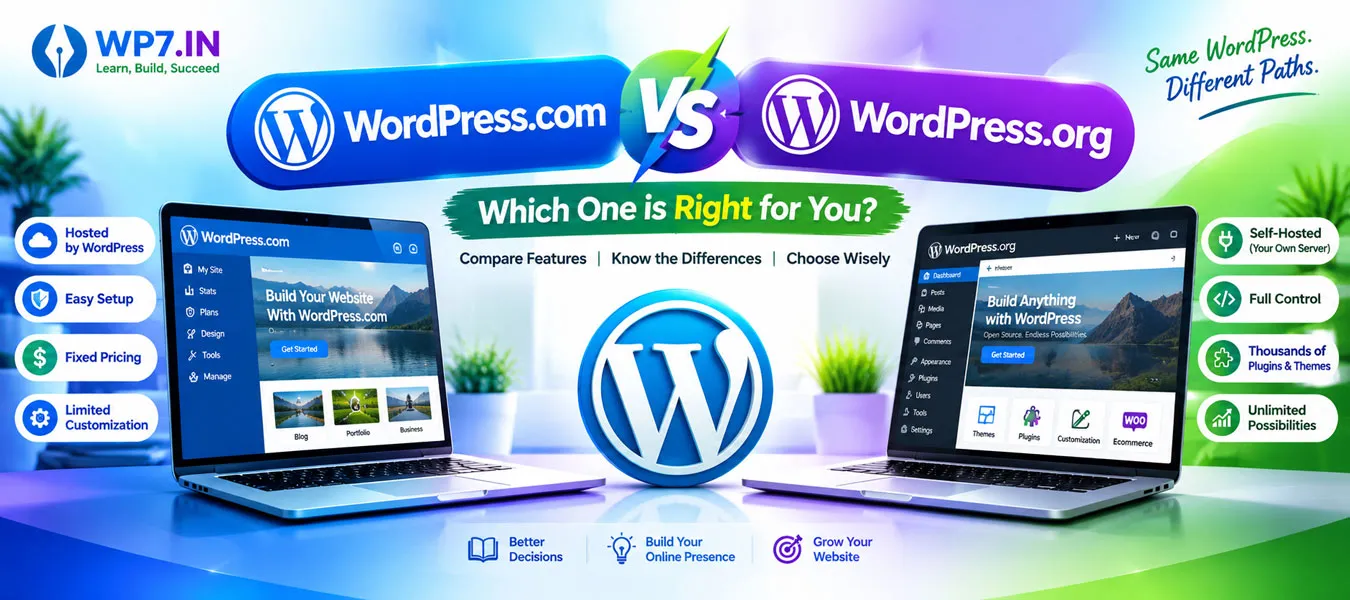
WordPress.com vs WordPress.org: Which Is Better for Beginners?
1. Introduction
Are you confused about WordPress.com vs WordPress.org? You are not alone. Many beginners find it difficult to understand the difference between these two platforms when starting a website.
WordPress is one of the most popular website-building tools. You can use it to create blogs, business websites, portfolios, online stores, and many other types of websites.
However, WordPress.com and WordPress.org offer different ways to build and manage a website.
WordPress.com is a hosted website service that manages much of the technical work for you. In contrast, WordPress.org provides the WordPress software that you can install on your own web hosting account.
Therefore, choosing the right option depends on your budget, technical skills, website goals, and need for customization.
In this guide, you will learn the key differences, advantages, disadvantages, costs, and best use cases for both platforms.
2. What Is WordPress.com?
WordPress.com is a hosted website platform operated by Automattic. It allows you to create a website without arranging separate web hosting.
The platform manages much of the technical infrastructure, depending on your plan. This makes it convenient for beginners who want to focus on creating content rather than managing server settings.
![Wordpress.com Advantages Infographic]()
 Key features of WordPress.com
- Hosted website service with managed infrastructure.
- Website themes and design tools.
- Content publishing and blogging features.
- Security and maintenance features that depend on your plan.
- Options to upgrade for additional features and flexibility.
- Custom domain support on eligible plans.
Advantages of WordPress.com
- Easy to get started.
- No separate hosting account is required.
- Less server maintenance for beginners.
- Managed infrastructure and security features.
- Suitable for blogs and websites that need less technical management.
Disadvantages of WordPress.com
- Advanced features may require a paid plan.
- Customization options depend on your plan.
- Some plugins and themes may be restricted by plan or platform policies.
- You have less control over the hosting environment than with self-hosted WordPress.
Best for: Beginners, bloggers, and website owners who prefer a managed platform and want to minimize technical responsibilities.
3. What Is WordPress.org?
WordPress.org is the official website where you can download the open-source WordPress software for your own website.
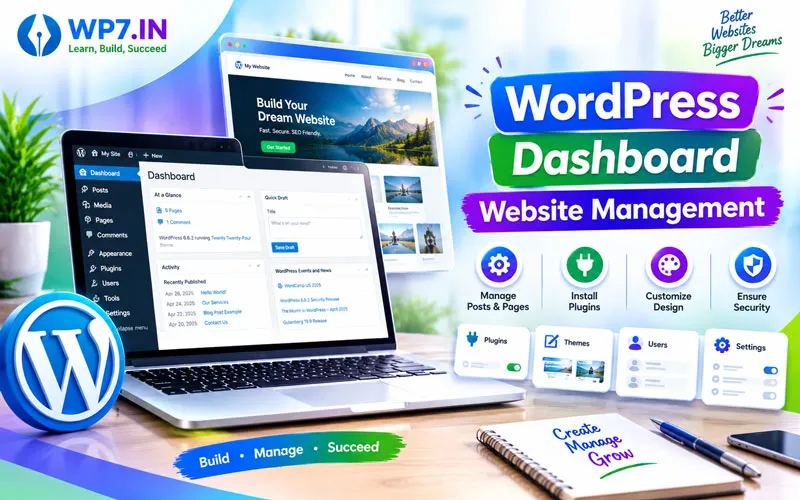
With this option, you typically purchase a domain name and a web hosting plan, install WordPress, and manage your website through the WordPress dashboard.
This is commonly called self-hosted WordPress.
![Wordpress.org Advantages Infographic]()
 Key features of WordPress.org
- Access to a large ecosystem of themes and plugins.
- Greater control over website design and functionality.
- Support for business websites, blogs, portfolios, and eCommerce.
- Options to customize your website with code.
- Greater control over hosting, files, databases, and backups.
Advantages of WordPress.org
- Extensive customization options.
- Freedom to choose your hosting provider.
- Access to thousands of free and paid plugins and themes.
- Suitable for SEO, digital marketing, and business growth.
- Flexible options for online stores and membership websites.
- More control over website data and infrastructure.
Disadvantages of WordPress.org
- You must arrange web hosting and usually a domain name.
- You are responsible for managing updates, backups, and security, unless your host or service handles them.
- Premium themes, plugins, hosting, and maintenance may increase costs.
- Beginners may need time to learn website management.
Best for: Freelancers, businesses, web designers, students, and anyone who wants greater control over a website.
4. WordPress.com vs WordPress.org: Key Differences
The following table explains the main differences between WordPress.com and WordPress.org.
| Feature | WordPress.com | WordPress.org |
| Platform | Hosted service | Open-source software |
| Hosting | Included | Purchased separately |
| Initial setup | Generally easier | Requires hosting setup |
| Domain | Depends on plan | Usually purchased separately |
| Themes | Options depend on plan | Broad theme selection |
| Plugins | Available on paid plans | Install compatible plugins on your hosting |
| Security | Many features are managed | Depends on your host and setup |
| Backups | Features depend on plan | Arrange through your host or backup tools |
| Customization | Depends on plan | Greater technical control |
| Maintenance | Much is managed | More responsibility for the site owner |
| Cost | Free and paid plans | Software is free; hosting and other services may cost money |
WordPress.com includes hosting and managed features, while WordPress.org lets you select your own hosting provider and manage your website more directly.
5. WordPress.com vs WordPress.org: Which Is Cheaper?
The cost depends on your website requirements and the services you need.
WordPress.com cost
WordPress.com offers free and paid plans. Hosting is included, while features such as custom domains, additional design options, and advanced tools depend on the plan you select.
WordPress.org cost
The WordPress software is free to download. However, you will usually need to pay for:
- Domain registration.
- Web hosting.
- Premium themes or plugins, if required.
- Website maintenance or security services, if needed.
Which option is cheaper? A basic website may cost less with a suitable free plan. For a business website, compare the complete annual cost of both options, including renewals, hosting, plugins, backups, and support.
6. Which WordPress Platform Is Better for SEO?
Both WordPress.com and WordPress.org can support SEO. Your results depend on content quality, technical SEO, website performance, user experience, and competition.
With either platform, focus on:
- Writing helpful, search-friendly content.
- Using descriptive page titles and meta descriptions.
- Creating a clear website structure.
- Optimizing images and page loading speed.
- Making your website mobile-friendly.
- Adding relevant internal links.
- Setting up Google Search Console and tracking performance.
Self-hosted WordPress.org gives you greater control over your hosting environment and technical setup. However, WordPress.org does not automatically rank higher on Google. Good SEO practices matter on both platforms.
7. Which Platform Should You Choose?
Choose the platform that best matches your goals.
- Students: WordPress.org is a useful choice for learning website installation, themes, plugins, hosting, and troubleshooting.
- Bloggers: WordPress.com is suitable if you prefer a managed environment. WordPress.org is a strong option if you want more control.
- Freelancers: WordPress.org offers flexibility for building and maintaining websites for clients.
- Business owners: WordPress.org is suitable for businesses that need customization and control. WordPress.com may be preferable if managed hosting is a priority.
- Job seekers: Learning self-hosted WordPress can help you develop practical website-building skills for digital marketing and web design roles.
Our recommendation
For anyone who wants to learn WordPress website development professionally, self-hosted WordPress.org is an excellent starting point. It provides practical experience with domains, hosting, themes, plugins, website design, and maintenance.
Nevertheless, WordPress.com is also a valid choice if you want a simpler, managed website experience.
8. Can You Switch from WordPress.com to WordPress.org?
Yes. You can migrate a website from WordPress.com to self-hosted WordPress, although the process depends on your website’s content, design, and functionality.
A typical migration involves:
1. Exporting your website content.
2. Setting up a domain and hosting account if needed.
3. Installing WordPress on the new hosting account.
4. Importing your content.
5. Recreating or transferring your theme and functionality.
6. Checking URLs, redirects, images, and SEO settings.
7. Testing the website before completing the switch.
Before migrating, create a backup and carefully plan the process to reduce downtime and protect your search rankings.
FAQs
WordPress.com is a hosted website service, whereas WordPress.org provides free, open-source WordPress software that you install on hosting you choose.
Yes. The software is free, but you usually pay for domain registration and web hosting. Premium themes, plugins, and maintenance may add extra costs.
WordPress.com is convenient for beginners who want managed hosting. WordPress.org is ideal for beginners who want to learn website development and gain more control.
Yes. Plugin installation is available on paid WordPress.com plans. Check the current plan details to confirm the features you need.
Both platforms can support business websites. WordPress.org is suitable when you need extensive customization, while WordPress.com is useful if you prefer managed hosting.
Not automatically. Both platforms can support effective SEO. Results depend on content quality, technical optimization, website performance, and your SEO strategy.
Yes. You can migrate your website, but you may need to transfer content, configure hosting, recreate design elements, and check redirects.
10. Learn WordPress Website Development with WP7.IN
Want to create your own professional website? Learn WordPress step by step with practical training and hands-on website development.
At WP7.IN, you can learn how to install WordPress, select themes, configure plugins, design web pages, manage hosting, and understand essential SEO techniques.
Our training is suitable for students, freelancers, job seekers, and business owners who want to build practical WordPress skills.
- Beginner-friendly, hands-on learning.
- Website creation using WordPress.
- Themes, plugins, and website customization.
- Domain, hosting, and website management.
- Basic SEO and website optimization.
Start learning WordPress and build your own website!
Explore our WordPress Training in Hyderabad page to learn more about our training programs.
Some Related Pages About WordPress Learning
To build complete WordPress expertise, explore these learning resources:
- WordPress Training in Hyderabad
- WordPress Course Near Me
- Online WordPress Training
- Advanced WordPress Training
- WooCommerce Training
- WordPress SEO Training
- Domain and Web Hosting – A domain name is your website address, while web hosting is the online space where your website files are stored. Together, they allow people to find and access your website on the internet.
- What is a WordPress Theme – A WordPress theme is a collection of files that controls the appearance, layout, design, and overall presentation of a WordPress website. In simple words, a theme determines how your website looks to visitors.
- WordPress Troubleshooting Guide – WordPress troubleshooting is the process of identifying the cause of a website problem and applying the correct solution. By understanding basic troubleshooting techniques, beginners can solve many common issues without unnecessary stress.