

What is a WordPress Theme?
A WordPress theme is a collection of files that controls the appearance, layout, design, and overall presentation of a WordPress website. In simple words, a theme determines how your website looks to visitors.
If WordPress is the system that manages your website content, the theme is responsible for how that content is displayed. Therefore, choosing the right WordPress theme is an important step when creating a professional website.
For beginners, understanding WordPress themes is essential because you can change the design of a website without having to build everything from scratch using code.
Whether you are a student, freelancer, business owner, or job seeker, learning how WordPress themes work can help you create attractive and professional websites faster.
What is a WordPress Theme?
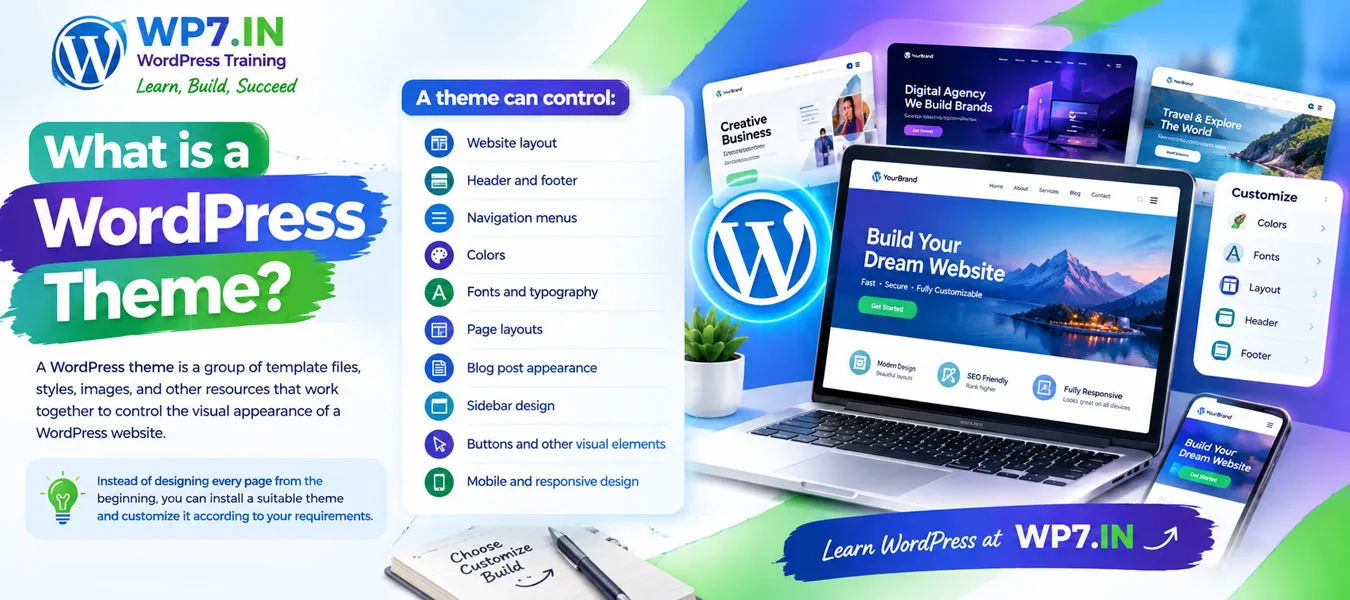
A WordPress theme is a group of template files, styles, images, and other resources that work together to control the visual appearance of a WordPress website.
For example, a theme can control:
- Website layout
- Header and footer
- Navigation menus
- Colors
- Fonts and typography
- Page layouts
- Blog post appearance
- Sidebar design
- Buttons and other visual elements
- Mobile and responsive design
Therefore, instead of designing every page from the beginning, you can install a suitable theme and customize it according to your requirements.
Understanding WordPress themes is an important step toward creating professional websites. If you want to learn how to install themes, customize website layouts, and build websites from scratch, explore our WordPress Training to develop practical WordPress skills.
How Does a WordPress Theme Work?
When a visitor opens a WordPress website, WordPress uses the active theme to determine how the website content should be displayed.</p[>
For example, your website may contain a page with a title, text, images, videos, and other content. The WordPress theme determines where and how these elements appear on the screen.
In simple terms:
- WordPress manages your website content.
- Theme controls the presentation and design.
- Plugins add additional functionality.
Theme and Website Content Are Different
One important concept beginners should understand is that your content and theme are not the same thing.
Your pages, posts, images, categories, and other content are stored separately from the theme. As a result, you can usually change your theme without losing your website content.
However, changing themes can affect layouts, menus, widgets, theme-specific settings, and custom design elements. Therefore, you should always test a new theme carefully before making it active on a live website.
What Does a WordPress Theme Control?
A WordPress theme can control many visual and structural elements of your website.
1. Website Layout
The theme determines how different sections of your website are arranged. For example, it can define the position of the header, content area, sidebar, footer, and other sections.
2. Header and Footer
The header normally contains your logo, navigation menu, contact information, or other important elements. The footer may contain copyright information, links, social media buttons, and contact details.
3. Colors and Fonts
The theme can provide color and typography settings. Consequently, you can create a consistent visual identity across your website.
4. Navigation Menus
The theme determines how navigation menus are displayed. A good menu helps visitors quickly find important pages such as Home, About, Services, Courses, Blog, and Contact.
5. Responsive Design
A modern WordPress theme should work properly on desktops, laptops, tablets, and mobile phones. This is known as responsive web design.
Since many people browse websites using smartphones, mobile-friendly design is extremely important.
![Wordpress Theme Installation]()
 Types of WordPress Themes
There are different types of WordPress themes. Understanding these options can help you select the right solution for your website.
Free WordPress Themes
Free themes are available without purchasing a theme license. They can be a good choice for beginners, personal websites, blogs, and simple projects.
However, free themes may have fewer customization options and support features compared with premium themes.
Premium WordPress Themes
Premium themes are paid themes that usually provide additional features, customization options, documentation, updates, and support.
They can be useful for business websites, professional blogs, agencies, portfolios, and other projects that require more design flexibility.
Block Themes
Block themes are designed to work with the WordPress Site Editor and block-based editing. They allow users to customize different parts of a website using blocks.
This approach gives beginners more control over website layouts without requiring extensive coding knowledge.
Multipurpose Themes
Multipurpose themes are designed for different types of websites. A single theme may provide layouts or templates for business websites, portfolios, blogs, online stores, and other projects.
Specialized Themes
Specialized themes are designed for particular industries or website purposes. For example, themes may be created specifically for restaurants, education websites, photography portfolios, news websites, or online stores.
What is a Parent Theme and Child Theme?
A parent theme is the main theme that provides the core design and functionality. A child theme inherits features from the parent theme while allowing developers to make custom changes.
Child themes can be useful when you need to customize theme files without directly modifying the original theme.
Why Use a Child Theme?
- Protects custom code from theme updates.
- Allows safer customization.
- Keeps changes separate from the parent theme.
- Makes future maintenance easier.
![How to choose a wordpress theme]()
 How to Install a WordPress Theme
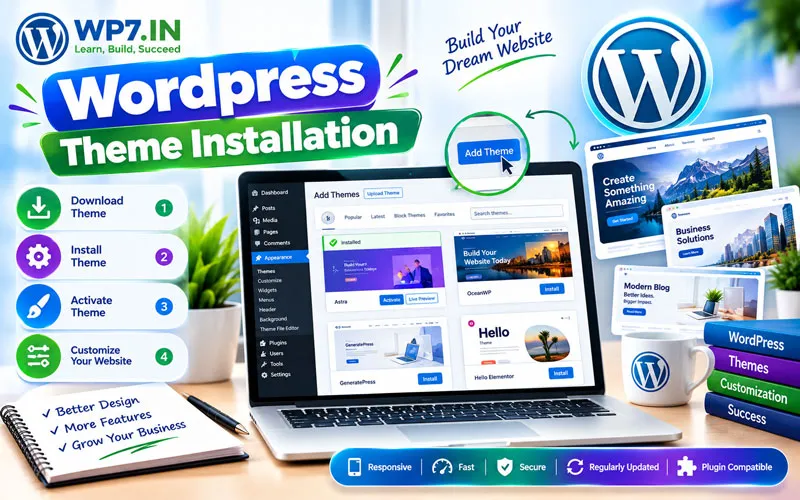
Installing a WordPress theme is relatively simple.
Method 1: Install a Theme from WordPress
- Log in to your WordPress dashboard.
- Go to Appearance > Themes.
- Click Add New Theme.
- Search for a suitable theme.
- Click Install.
- Click Activate.
Method 2: Upload a Theme
If you have downloaded a theme as a ZIP file, you can upload it through the WordPress dashboard.
- Go to Appearance > Themes.
- Click Add New Theme.
- Select the option to upload a theme.
- Choose the theme ZIP file.
- Install the theme.
- Activate it after installation.
How to Choose the Best WordPress Theme
Choosing a theme should not be based only on how attractive the demo website looks. Instead, consider the performance, flexibility, security, usability, and requirements of your website.
Check These Important Factors
- Responsive design: Make sure the theme works well on mobile devices.
- Speed: Avoid unnecessarily heavy themes that can slow down your website.
- Customization: Check whether you can easily modify the design.
- Compatibility: Make sure the theme works with your required plugins and WordPress features.
- Updates: Choose a theme that is actively maintained.
- Security: Download themes from reliable sources.
- SEO: Select a theme with clean and search-engine-friendly code.
- Support: Premium themes may provide additional support and documentation.
WordPress Theme vs Plugin
Beginners often confuse themes and plugins. However, they have different purposes.
- Theme: Mainly controls the appearance and presentation of your website.
- Plugin: Adds or extends functionality.
For example, a theme can control the design of your website, while a plugin can add a contact form, SEO features, security functions, backup functionality, or eCommerce capabilities.
Can You Change a WordPress Theme?
Yes. You can change the active WordPress theme whenever you need to. However, before changing a theme on a live website, it is recommended to create a backup and test the new theme.
After changing the theme, carefully check your homepage, menus, pages, forms, images, widgets, mobile layout, and other important website elements.
Do You Need Coding Knowledge to Use a WordPress Theme?
No. Beginners can install, activate, and customize many modern WordPress themes without writing code.
However, learning basic HTML, CSS, PHP, and JavaScript can become useful when you want to perform advanced customization or develop WordPress themes professionally.
Why Learning WordPress Themes Is Important
If you want to build websites professionally, understanding WordPress themes is an important skill.
As a WordPress freelancer or web designer, you may need to select themes, customize layouts, create responsive designs, troubleshoot theme problems, improve website speed, and work with page builders.
Learning to select and customize WordPress themes can help you build websites for businesses and clients. If you are a student, freelancer, job seeker, or business owner looking for hands-on learning, our WordPress Training in Hyderabad can help you develop practical website design and development skills.
Therefore, practical knowledge of WordPress themes can help you build better websites and provide more value to clients.
Some Related Pages About WordPress Training
To build complete WordPress expertise, explore these learning resources:
Frequently Asked Questions About WordPress Themes
A WordPress theme is a collection of files that controls the design, layout, appearance, and presentation of a WordPress website.
Yes. WordPress provides many free themes. There are also premium themes that offer additional features, customization options, updates, and support.
Yes. You can change your WordPress theme from the WordPress dashboard. However, create a backup and test the new theme before using it on a live website.
A theme primarily controls the website’s appearance and layout, whereas a plugin adds or extends functionality.
No. Many WordPress themes can be installed and customized without coding. However, coding knowledge is helpful for advanced customization and theme development.
A responsive WordPress theme automatically adjusts the website layout to different screen sizes, including desktops, tablets, and smartphones.
The best theme depends on your website requirements. Look for a fast, responsive, secure, regularly updated, customizable, and well-supported theme that suits your project.
Yes. Theme performance, mobile usability, page structure, accessibility, and code quality can influence the overall quality and performance of a website. Therefore, choose a lightweight and well-developed theme.
Learn WordPress Themes with Practical Training
Understanding WordPress themes is one of the first steps toward becoming confident with WordPress website development. Instead of only learning theory, practice by installing themes, creating menus, customizing layouts, building pages, working with responsive designs, and solving real website problems.
At WP7.IN, you can learn WordPress through practical, hands-on training designed for students, freelancers, job seekers, business owners, and beginners.
Learn WordPress. Build your own website. Develop a valuable digital skill.
Ready to learn WordPress practically? Explore WordPress training at WP7.IN and start building your own professional website.