

Domain and Web Hosting
A Beginner’s Guide to Building a WordPress Website
Every professional website needs two important things: a domain name and web hosting. If you are planning to create a WordPress website, understanding these two concepts is one of the first steps you should take.
In simple terms, a domain name is your website address, while web hosting is the online space where your website files are stored. Together, they allow people to find and access your website on the internet.
Whether you are a student, freelancer, business owner, job seeker, or beginner, learning how domain names and web hosting work will help you build and manage your own WordPress website with confidence.
What Is a Domain Name?
A domain name is the unique address that people type into a browser to visit your website.
For example, wp7.in is a domain name. Instead of remembering a complicated numerical IP address, visitors can simply enter a memorable domain name.
Examples of Domain Names
- example.com
- mybusiness.in
- myportfolio.com
- wp7.in
A good domain name should ideally be short, easy to remember, relevant to your website, and simple to type.
What Is a Domain Extension?
The ending of a domain name is called a domain extension or top-level domain (TLD). Common examples include:
- .com – commonly used for businesses and general websites
- .in – commonly associated with India
- .org – often used by organizations
- .net – traditionally associated with networks and technology
For a local Indian business, a .in domain can be appropriate. However, the right extension depends on your brand, audience, availability, and business goals.
What Is Web Hosting?
Web hosting is a service that provides storage and server resources for your website. When someone visits your domain, the hosting server delivers your website’s files to their browser.
Think of it this way:
- Domain = Your website address
- Hosting = Your website’s online home
- WordPress = The software used to create and manage your website
For example, if you open a shop, the shop needs an address so customers can find it and a physical space where the products are kept. Similarly, a website needs a domain and hosting.
Domain vs Web Hosting
Although domain names and hosting work together, they are not the same thing.
| Domain Name | Web Hosting |
|---|---|
| Website address | Server space for your website |
| Helps visitors find your website | Stores website files and database |
| Registered for a specific period | Usually purchased as a hosting plan |
| Example: wp7.in | Server where the WordPress website runs |
How Domain and Hosting Work Together
When you type a domain name into your browser, the domain helps direct the request toward the appropriate hosting server. The server then sends the required website files back to the browser.
Simple Website Flow
- Visitor enters your domain name.
- The domain points toward your hosting server.
- The hosting server processes the request.
- WordPress loads the required website files and database information.
- The visitor sees your website in the browser.
Therefore, both domain and hosting play an important role in making a WordPress website accessible online.
How to Choose a Domain Name
Choosing the right domain name is important because changing it later can require additional work with branding, SEO, email, and marketing.
Domain Name Tips for Beginners
- Keep the name short and memorable.
- Choose a name that is relevant to your business or brand.
- Avoid unnecessary numbers and complicated spellings.
- Make it easy to pronounce and type.
- Check availability before finalizing your brand name.
- Consider your target audience and location.
- Check whether the name creates potential trademark or brand conflicts.
How to Choose WordPress Web Hosting
Not every hosting plan is equally suitable for every website. Therefore, beginners should compare important hosting features before making a decision.
Important Hosting Features
- Performance: Good server performance can contribute to a faster website.
- Storage: Choose storage appropriate for your website files and media.
- SSL: HTTPS is essential for a modern website.
- Backups: Regular backups can help protect your website.
- Security: Look for appropriate server and account security features.
- Support: Reliable technical support can be useful when problems occur.
- Scalability: Your hosting should allow you to upgrade as your website grows.
- WordPress compatibility: Choose hosting that supports the WordPress environment you plan to use.
What Is WordPress Hosting?
WordPress hosting refers to hosting designed or configured to work with WordPress websites. Depending on the provider and plan, it may include features such as WordPress installation tools, automatic updates, backups, caching, security tools, and specialized support.
However, beginners should not choose a hosting plan based only on the words “WordPress hosting.” Always compare the actual features, resources, performance, support, renewal pricing, and terms.
How to Connect a Domain to Web Hosting
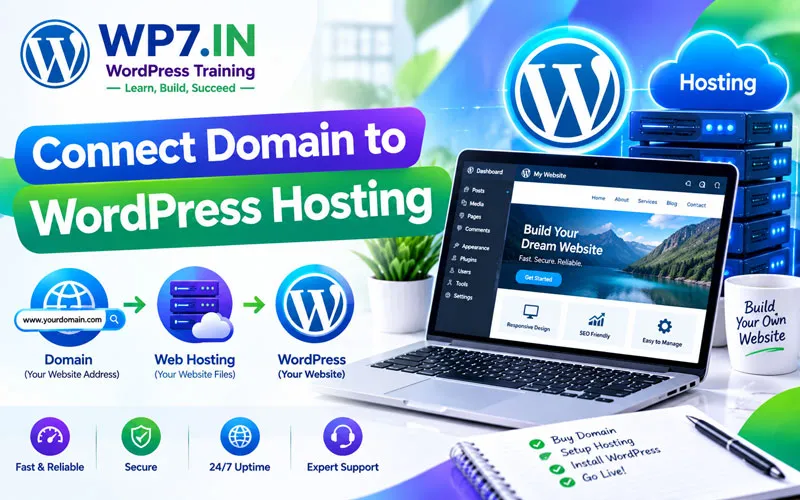
After purchasing your domain and hosting, you need to connect them so visitors can access your website.
Basic Steps
- Purchase a domain name.
- Purchase a suitable web hosting plan.
- Log in to your domain registrar account.
- Find the DNS or nameserver settings.
- Enter the nameservers provided by your hosting company, when required.
- Save the changes.
- Allow time for DNS changes to take effect.
- Install WordPress on your hosting account.
- Configure your WordPress website.
The exact process can vary depending on your domain registrar and hosting provider. Therefore, always follow the provider’s current instructions.
What Is cPanel?
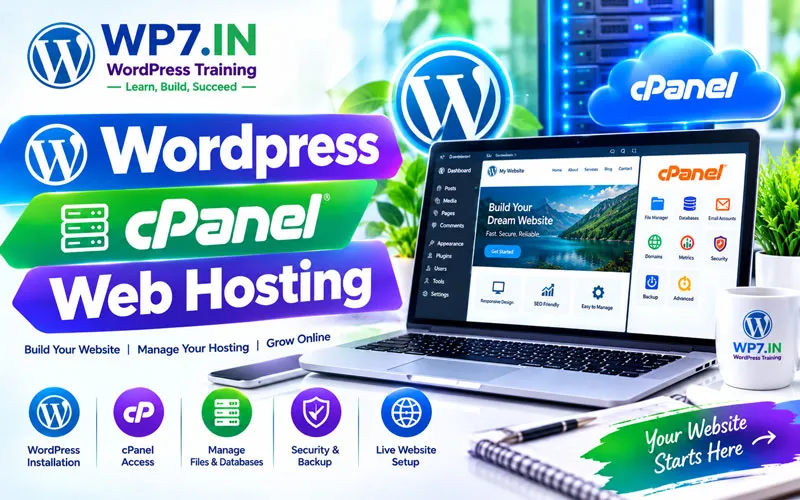
cPanel is a popular web hosting control panel that provides a graphical interface for managing many hosting tasks.
, domains, backups, security settings, and other hosting functions.
Common cPanel Tasks
- Manage website files
- Create email accounts
- Manage databases
- Install SSL certificates
- Manage domains and subdomains
- Create backups
- Use File Manager
Domain, Hosting and WordPress: What Do You Need?
If you are creating your first WordPress website, the basic setup is straightforward:
- 1. Domain: Choose your website address.
- 2. Hosting: Select a suitable server plan.
- 3. WordPress: Install WordPress on the hosting server.
- 4. Theme: Select and customize the website design.
- 5. Plugins: Add the features your website requires.
- 6. Content: Add pages, images, services, products, and blog posts.
- 7. SEO: Optimize your website for search engines and users.
- 8. Security and backups: Protect your website and maintain reliable backups.
Common Domain and Hosting Mistakes Beginners Make
Many beginners focus only on the initial price. However, there are several other factors to consider.
Mistake 1: Choosing a Complicated Domain
A difficult domain can be harder for visitors to remember and type.
Mistake 2: Choosing Hosting Only Because It Is Cheap
Low introductory pricing does not necessarily mean the hosting is the right choice for your website. Compare features, resources, support, and renewal pricing.
Mistake 3: Ignoring Backups
Website problems can happen because of updates, configuration errors, security incidents, or other issues. Maintaining reliable backups is an important part of website management.
Mistake 4: Forgetting Website Security
Use HTTPS, strong passwords, updated WordPress software, trusted themes and plugins, and appropriate security practices.
FAQs About Domain and Web Hosting
A domain is your website’s internet address, while web hosting provides the server space and resources required to store and run your website.
Yes. A domain can be registered separately from hosting. However, you need hosting or another suitable web service if you want to publish a traditional WordPress website online.
Yes. A WordPress website can generally be migrated from one hosting provider to another. However, proper backups and a carefully planned migration are important.
No. Many hosting providers offer simplified WordPress installation tools. Basic hosting knowledge is useful, but you do not need to be a programmer to start learning WordPress.
A domain name is part of your website’s identity, but SEO depends on many factors, including useful content, technical performance, site structure, links, user experience, and search intent. Therefore, choosing a domain alone will not guarantee search rankings.
There is no single hosting plan that is best for every website. Your choice should depend on your website size, traffic, budget, technical requirements, performance needs, support, security, backup options, and future growth.
Learn Domain, Hosting and WordPress Practically
Understanding domain names and web hosting becomes much easier when you practice with a real website. At WP7.IN, learners can understand WordPress from the basics and practice important website tasks step by step.
You can learn how to work with domains, hosting, cPanel, WordPress installation, themes, plugins, website pages, SEO, security, backups, and other essential WordPress concepts.
Ready to build your own website? Start learning WordPress practically and develop the skills needed to create, manage, optimize, and grow a professional website.
Explore WP7.IN WordPress Training and start building your website step by step.