

WordPress Security Guide
Complete Beginner’s Guide to Secure Your Website
WordPress is one of the most popular website platforms in the world. However, because it is widely used, WordPress websites can also become targets for hackers, malware, spam, and other security threats. Therefore, learning WordPress security is essential for students, freelancers, business owners, bloggers, and anyone who manages a website.
The good news is that you do not need to be a cybersecurity expert to protect a WordPress website. By following a few important security practices, you can significantly reduce common risks and keep your website safer.
In this WordPress Security Guide, you will learn the basics of WordPress security, common threats, essential security settings, backups, updates, passwords, plugins, hosting security, and practical steps to secure your website.
What Is WordPress Security?
WordPress security means protecting your WordPress website, its files, database, user accounts, hosting environment, and visitors from unauthorized access, malware, data loss, and other attacks.
A secure WordPress website should protect three important areas:
- 1. Website files: Protect WordPress core files, themes, and plugins.
- 2. Database: Protect website content, user information, settings, and other stored data.
- 3. User accounts: Prevent unauthorized users from accessing the WordPress Dashboard.
Security is not a one-time task. Instead, it should be treated as an ongoing website maintenance process.
![Wordpress Website Security]()
 Why Is WordPress Security Important?
A hacked website can cause serious problems. For example, attackers may add malicious code, redirect visitors, steal information, create spam pages, or damage important website files.
Furthermore, a security problem can affect your search engine visibility and business reputation. Therefore, website owners should make security a priority from the beginning.
Major Benefits of WordPress Security
- Protects your website from unauthorized access.
- Reduces the risk of malware infections.
- Protects website content and database information.
- Helps prevent account takeovers.
- Reduces website downtime.
- Protects customer and visitor trust.
- Supports better website maintenance and SEO health.
![Wordpress Login Security]()
 Common WordPress Security Threats
Before learning how to secure WordPress, it is important to understand the common threats.
1. Weak Passwords
Simple passwords are easier for attackers to guess or crack. Avoid passwords based on names, birthdays, phone numbers, or common words.
Instead, use a long, unique password for every important account.
2. Outdated WordPress Software
WordPress core, themes, and plugins are regularly updated. These updates may include security fixes. Therefore, running outdated software can increase security risks.
3. Vulnerable Plugins and Themes
Plugins and themes add useful features to WordPress. However, poorly maintained or vulnerable extensions can create security weaknesses.
Only install plugins and themes from trustworthy sources, and remove software that you no longer use.
4. Malware
Malware is malicious software that can modify files, create unwanted redirects, inject harmful code, or perform other unwanted actions.
5. Brute-Force Attacks
In a brute-force attack, attackers repeatedly try usernames and passwords until they gain access. Strong passwords and login protection can help reduce this risk.
6. Unauthorized User Accounts
Unused administrator accounts can become a security risk. Regularly review your WordPress users and remove accounts that are no longer required.
![Wordpress Backup Security]()
 How to Secure a WordPress Website
Now let us look at the practical steps you can take to improve WordPress website security.
1. Keep WordPress Updated
Always keep your WordPress core, plugins, and themes updated. Before performing major updates, it is a good practice to have a recent backup.
In addition, regularly check your WordPress Dashboard for available updates.
2. Use Strong Passwords
Create strong and unique passwords for:
- WordPress administrator accounts
- Hosting accounts
- Database accounts
- FTP accounts
- Email accounts
- Domain registrar accounts
Never reuse the same password across multiple important services.
3. Enable Two-Factor Authentication
Two-factor authentication, commonly called 2FA, adds another verification step during login.
Even if someone obtains your password, the additional authentication requirement can make unauthorized access more difficult.
4. Use Secure Hosting
Your hosting environment plays an important role in WordPress security. Choose a reputable hosting provider that offers features such as SSL certificates, backups, malware protection, server security, and regular maintenance.
Also, keep your hosting control-panel credentials secure.
5. Install an SSL Certificate
An SSL certificate enables HTTPS and encrypts data transferred between the visitor’s browser and your website.
After installing SSL, make sure your website uses HTTPS consistently.
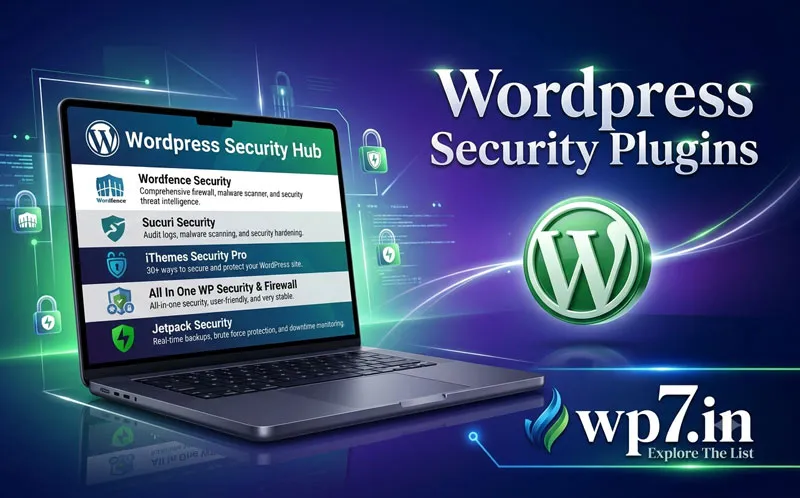
6. Install a Trusted Security Plugin
A security plugin can provide useful features such as malware scanning, firewall protection, login security, suspicious activity monitoring, and other security controls.
However, avoid installing multiple security plugins that perform overlapping functions unless you understand how they interact. Too many plugins can create unnecessary complexity.
7. Remove Unused Plugins and Themes
Do not keep unnecessary plugins and themes installed simply because you might use them later.
Regularly review your WordPress installation and remove unused software. This reduces the number of components that need to be maintained and monitored.
8. Create Regular Backups
Backups are one of the most important parts of website security.
A backup can help you restore your website if it is hacked, damaged, accidentally deleted, or affected by a hosting problem.
What Should You Back Up?
- WordPress database
- Website files
- Uploaded images and media
- Themes
- Plugins
- Important configuration files
Ideally, keep backups in a location separate from your primary hosting account.
9. Use the Principle of Least Privilege
Do not give every user administrator access.
Instead, assign the lowest WordPress user role required to perform the person’s work. For example, someone who only needs to write articles may not need administrator privileges.
10. Protect Your WordPress Login
The WordPress login page is a common target for automated attacks. Strong passwords, 2FA, login monitoring, and appropriate rate-limiting or brute-force protection can improve login security.
WordPress Security Checklist
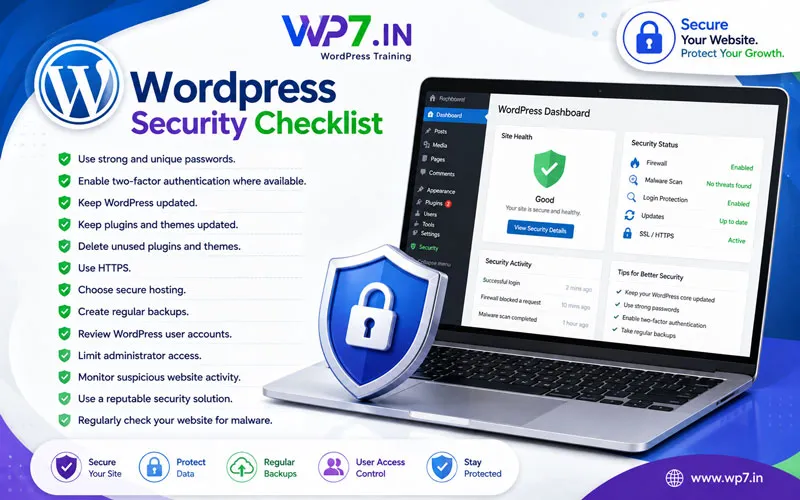 Use this simple checklist when reviewing your website:
- Use strong and unique passwords.
- Enable two-factor authentication where available.
- Keep WordPress updated.
- Keep plugins and themes updated.
- Delete unused plugins and themes.
- Use HTTPS.
- Choose secure hosting.
- Create regular backups.
- Review WordPress user accounts.
- Limit administrator access.
- Monitor suspicious website activity.
- Use a reputable security solution.
- Regularly check your website for malware.
WordPress Security and SEO
Website security and SEO are closely connected from a practical website-management perspective. A hacked website can create spam content, malicious redirects, unwanted pages, or other problems that may negatively affect visitors and your online reputation.
Therefore, SEO should not focus only on keywords and content. Website owners should also maintain a secure, fast, reliable, and technically healthy website.
What Should Beginners Learn About WordPress Security?
If you are new to WordPress, do not try to learn every advanced security concept immediately. Start with the fundamentals.
Beginner WordPress Security Learning Path
- Understand WordPress users and roles.
- Learn how WordPress updates work.
- Learn how to create and restore backups.
- Understand plugins and themes.
- Learn about SSL and HTTPS.
- Understand strong passwords and 2FA.
- Learn basic hosting security.
- Learn how to identify suspicious website activity.
- Understand basic malware prevention.
- Practice securing a real WordPress website.
By learning these fundamentals, beginners can build a strong foundation before moving into advanced WordPress security and server-level security.
FAQs
Yes. WordPress can be operated securely when it is properly maintained. However, security also depends on your hosting, passwords, plugins, themes, configuration, updates, and website management practices.
Yes. Any website can become a target. Weak passwords, outdated software, vulnerable plugins, insecure hosting, and poor security practices can increase the risk.
A security plugin can provide useful protection and monitoring features. However, a plugin should be part of a broader security strategy that includes updates, strong authentication, backups, secure hosting, and good administration practices.
The ideal backup frequency depends on how frequently your website changes. Websites with frequent content, orders, registrations, or transactions generally require more frequent backups than rarely updated websites.
Yes. Removing plugins and themes that you no longer need can reduce unnecessary maintenance and potential security exposure.
No. SSL protects data transmission through HTTPS, but it does not secure every part of a WordPress website. You also need strong passwords, updates, backups, secure hosting, access control, and other security practices.
Security is not simply an SEO ranking tactic. However, maintaining a secure website helps protect your users, reputation, availability, and overall website health.
Some useful links inside this website
- What Is WordPress?.
- How WordPress Works
- WordPress Themes Guide
- WordPress Plugins Guide
- WordPress Hosting Guide
- WordPress Backup Guide
- WordPress Security Guide
- WordPress Speed Optimization
- WordPress Website Development
- WordPress Training in Hyderabad
- WordPress Training for Beginners
Learn WordPress Security Through Practical Training
 Reading about security is useful, but practical experience is even more valuable. If you are a student, freelancer, business owner, blogger, or job seeker, learning how to manage and secure a WordPress website can make you more confident when building real websites.
At WP7.IN, you can learn WordPress from beginner fundamentals to practical website development, including website setup, themes, plugins, hosting, SEO, maintenance, and live project development.
Ready to learn WordPress and build websites with confidence? Start your WordPress training and learn how to create, manage, maintain, and protect a professional website.
Join WP7.IN WordPress Training today and build your skills with practical, hands-on learning.